This release brings more rehearsal tools to your song page: audio your team can practise with, song details filled in for you, and more ways to tailor the metronome to your music.
Rehearse to the actual tracks
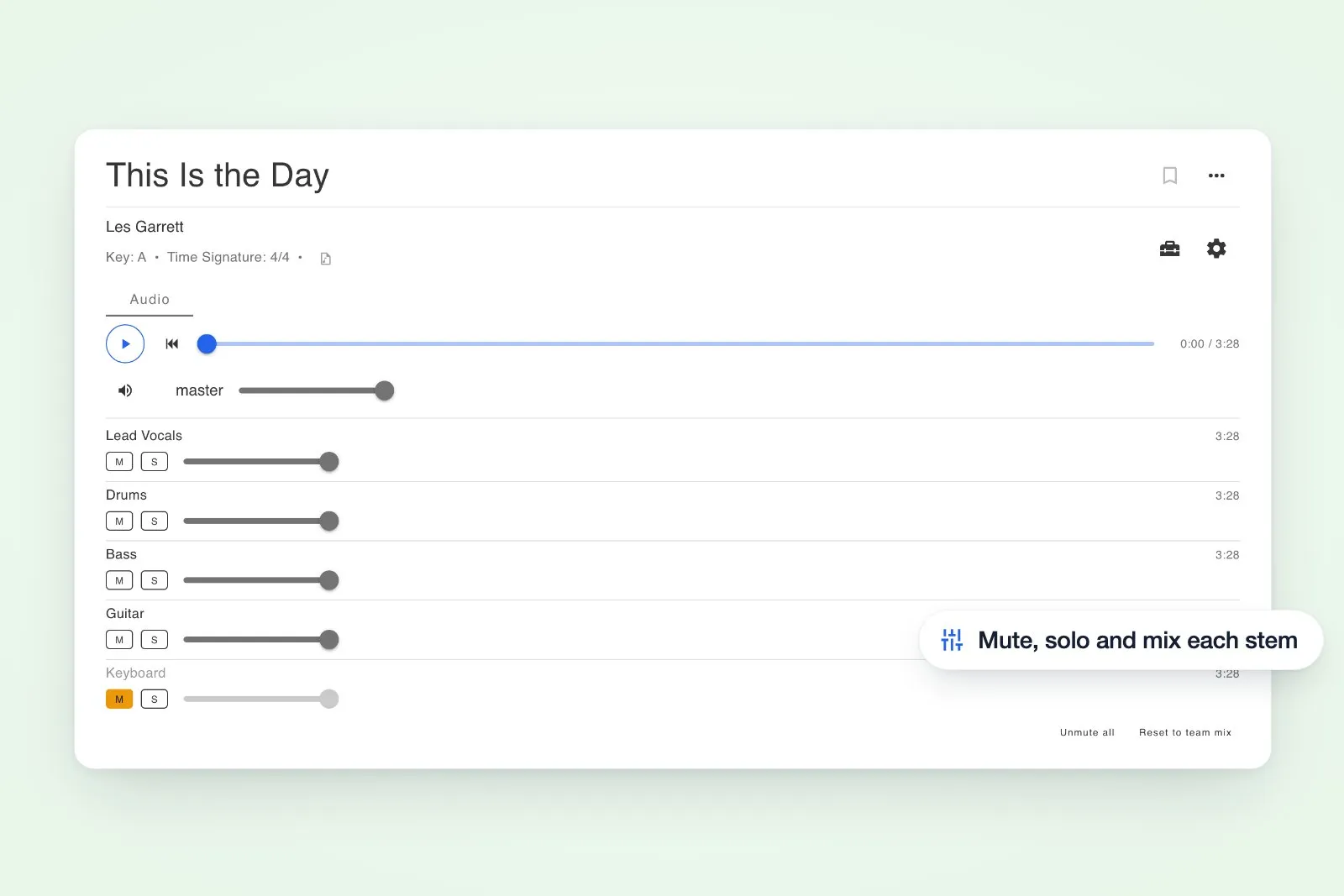
A song can now carry its own audio: a backing track, a click, a guide vocal, or a separate stem per instrument. Upload several at once from the Audio tab, label them, and they play together in sync. Every track gets a mute, a solo and its own fader, so the keys player can drop the keys stem and play it live while the drummer solos the click. Save a balance as the team mix and everyone starts from the same place.
Fill in a new song without typing it out
Adding a song now starts with Find song online. Search by title, artist or a scripture reference, and the details come back filled in: artist, album, year, duration, genre, listening links, and the key, tempo, CCLI number and tags where they can be found. Anything filled in this way is marked unverified until you check it, and an unverified CCLI number is flagged in the usage report so a guess never gets reported as fact.
Find the right click for your music
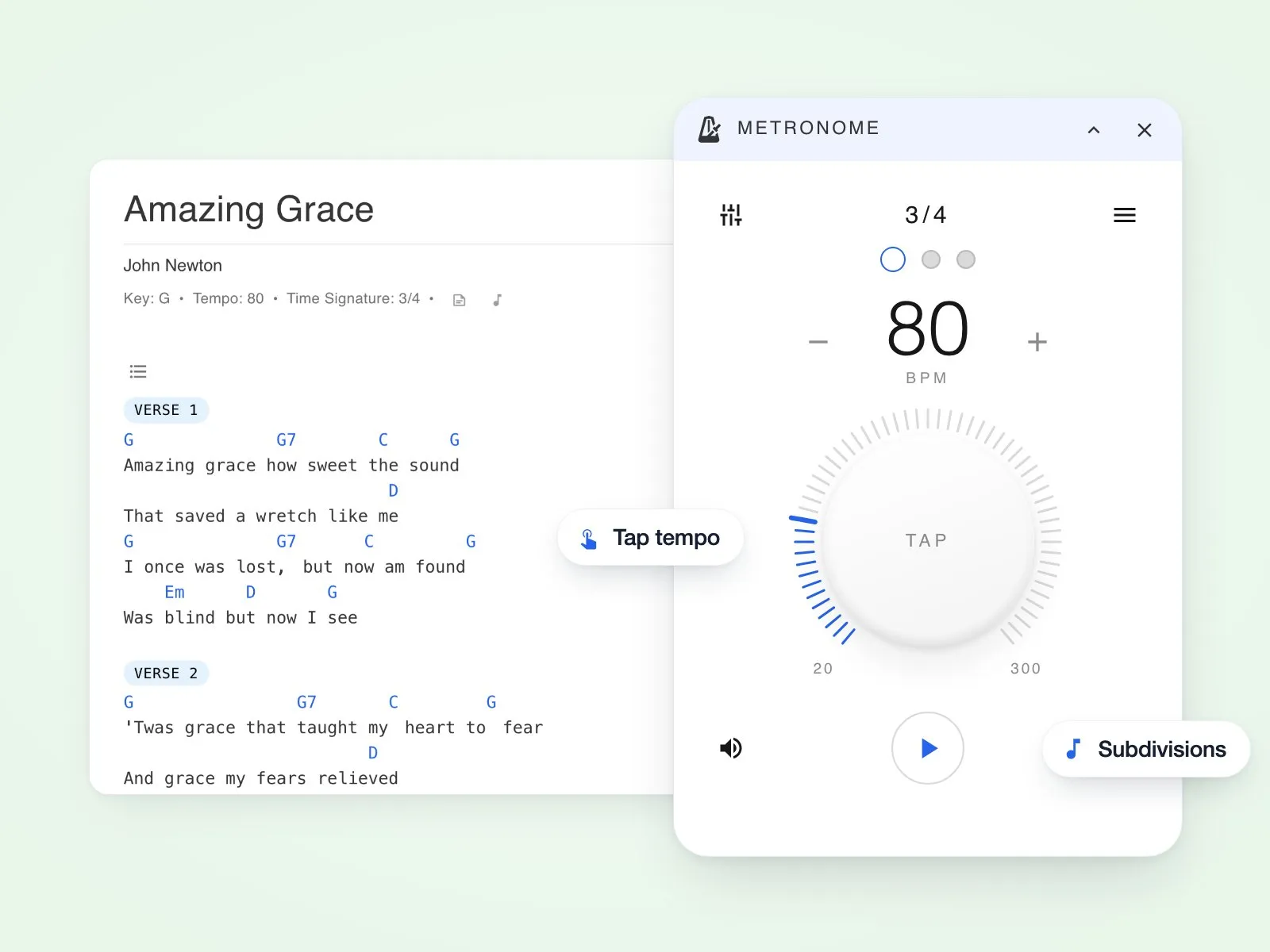
You can now choose subdivisions (eighths, triplets, sixteenths, swing), plus compound meter, per-beat accents and five click sounds, in a metronome dock you can move and collapse. Switch on syncing across devices when you need it, or keep it off for an immediate count-in. In 6/8, two pulses follow the natural feel of the music.
Also in this release
Inviting past your plan's seat limit now stops with a notice and an upgrade button that opens the plan picker where you are; attachments and references stay put when you switch tabs on a song; and subscription status reads in plain words (active, free trial, payment overdue) wherever a plan is shown.