How to Organize Your Church Song Library
A church song library is a cataloged, searchable collection of every song your team uses, stored so any member can find, retrieve, and share it in minutes. The system that actually lasts isn't the most elaborate one. It's the one that's low-friction enough that your volunteers keep it updated week to week.
This guide is for volunteer worship leaders who are tired of hunting for the right chord chart on Sunday morning and want a setup that stays current without becoming a second job.
The Short Answer (For When You're In a Hurry)
- Inventory first. List every song you actually use: title, key, and where the chart lives. Don't organize while you inventory; just capture.
- Tag, don't file. A song belongs to many things at once (season, theme, tempo). Tags let it; folders don't.
- Start with your active repertoire. For us that's the 30-50 songs we use across a year. Organize those before the archive.
- Keep updates under two minutes. If maintaining a record takes longer than that, volunteers stop doing it, and the whole system rots.
- Give it one accountable owner. Add a trusted backup editor so updates don't depend on one person's availability. Everyone else can use view access.
What My Library Looked Like Before, and Why It Nearly Buried Me
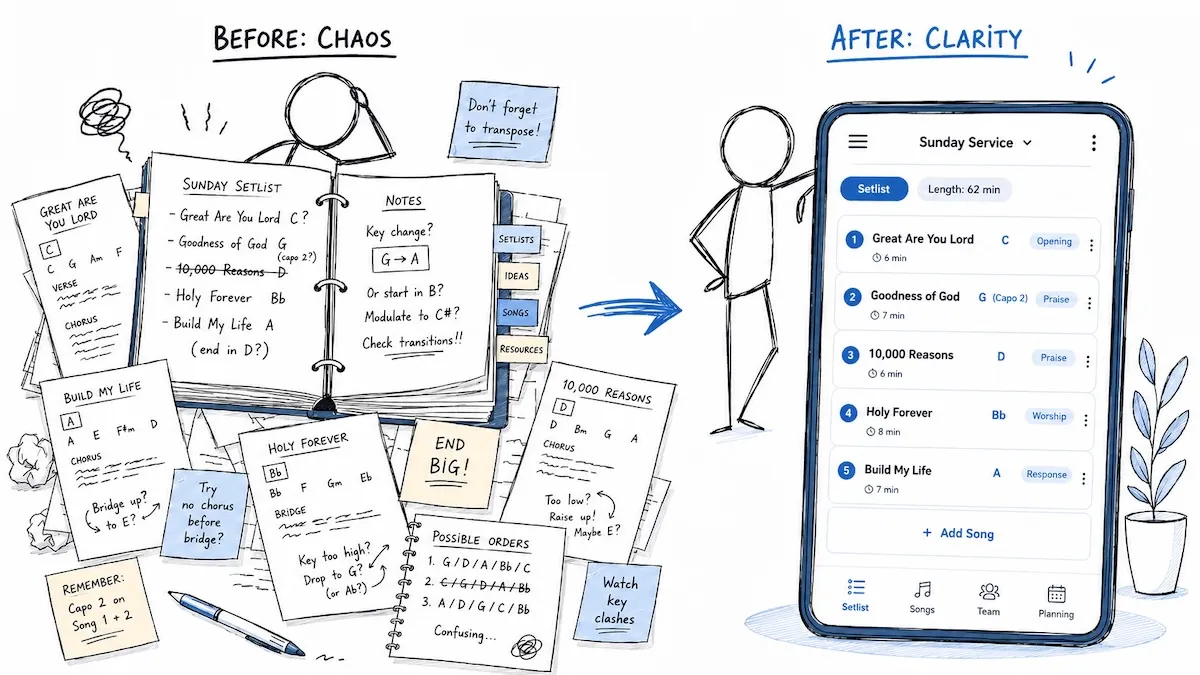
For years my "library" was a stack of physical binders, every song in its own plastic sleeve, several copies of each so I'd have one to hand to every musician. Keeping it running was a part-time job I never asked for.
Every week I was printing. If a song needed a different key, I'd edit the chart on the computer one chord at a time and print fresh copies, and when I ran out of time, I was on stage ten minutes before we played, changing keys by hand with a pen on each person's sheet for whoever couldn't transpose on the fly. Any last-minute change meant the same thing: rewrite it by hand, or make a verbal agreement and hope nobody forgot mid-song.
Sharing was just as manual. Someone didn't have a chart, or lost theirs, so I had to remember to print it. Papers went missing. There were always sheets left on the stage after rehearsal. And heaven help me if the printer ran out of ink on a Saturday night.
Then there was the setlist, printed several times over, one for the team, one for the tech booth, one for whoever was leading the meeting. If anything changed Sunday morning when people finally saw it, that was pen-and-paper again, or another round of "please remember." The tech team had it worst: no easy way to add a new song to the projector or see the changes we'd made, so most of that fell to me too: typing lyrics in, matching translations line by line. Different leaders sometimes sang different translations of the same song, and now you've got two versions floating around.
It worked. It was a good mess, full of real worship. But it took so much work just to feel ready that the admin started crowding out the actual preparation.
Here's what I didn't see at the time: the problem was never that I'd picked the wrong filing method. The problem was that the whole system ran on me, by hand, every single week. Any library that takes that much manual effort will fall apart, not because it's badly organized, but because nobody can keep it up. That's the real lesson, and it's what the rest of this guide is built around.
How Do You Organize a Church Song Library From Scratch?
Start with a complete inventory before you organize anything. Pull every song you use and record only the facts: title, key, original artist or composer, and where the chart currently lives. Speed matters here. Capture first, categorize later.
Once you have the list, separate your active repertoire (the songs you use across the year) from everything else. Organize those properly; the rest can sit in an archive tier you tidy later.
For my church, the seasonal rotation is usually 10-15 songs, with a few extras layered on top: a song just for one Sunday, something for a holiday or a special event. Our active repertoire across the year is roughly 30-50 songs, and the seasonal 10-15 do most of the lifting at any one time.
The seasonal rotation breathes. Songs get retired for a season when people have sung them a little too much, new ones come in, and old favorites resurface a year later. A few evergreens keep coming back for good. Don't fight that. It's healthy. After a few years you'll have well over a hundred songs in the library and probably won't use half of them more than once a year. That's not clutter to delete; it's depth to archive.
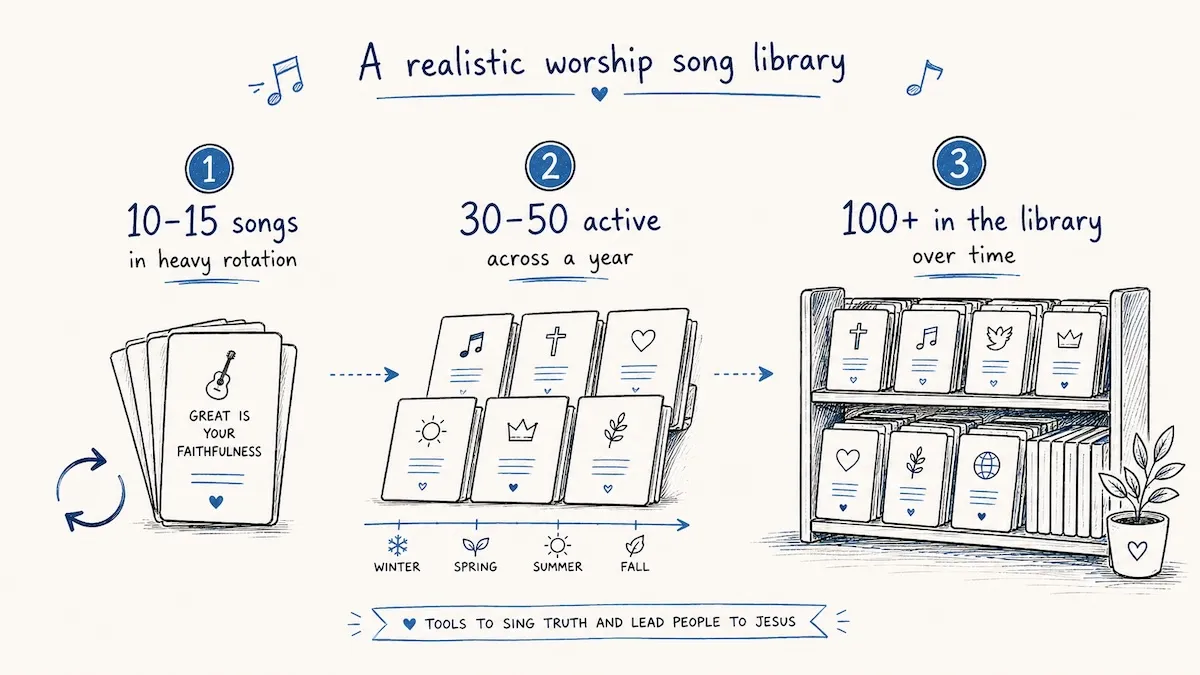
One thing most guides miss: "retired" depends on the setting. A song that's run its course for Sunday morning might be exactly right in your small group, your youth night, or your own devotion time at home. What fills a big room doesn't always fit a prayer meeting, and your personal favorites may never touch a Sunday set. So you don't really have one library. You have several overlapping ones for different settings. Organizing by context (a separate space per group, collections per season, an archive for what's resting rather than deleting it) is what keeps all of that from collapsing back into the paper mess I started with.
Choosing the Right Categories
Categories give your library its search structure. The ones that earn their keep for worship teams:
- Theme: grace, surrender, communion, declaration, lament
- Tempo / energy: fast, mid, slow, building
- Liturgical season: Advent, Lent, Easter, ordinary Sundays
- Key: for quick transposition decisions and band-friendly grouping
- Usage frequency: so you can see what's overplayed and what's gathering dust
Don't create a category you'll never search by. Every unused tag is clutter that slows the next person down.
What One Useful Song Record Looks Like
For a simple example, imagine three files called Amazing Grace final, Amazing Grace G, and Amazing Grace Sunday. The useful record would make the decisions visible:
| Field | Example |
|---|---|
| Title and version | Amazing Grace (traditional melody, our four-verse arrangement) |
| Default key | G, with Sunday's set using F if the leader needs it |
| Tags | hymn, grace, reflection |
| Current chart | One shared chart with the agreed verses and ending |
| Seasonal rotation | Yes (autumn) |
Keep a genuinely different arrangement as a clearly named version. Archive superseded copies of the same chart once you've checked them. The next musician should be able to tell which one to use without asking you.
Why Tags Beat Folders for a Song Library
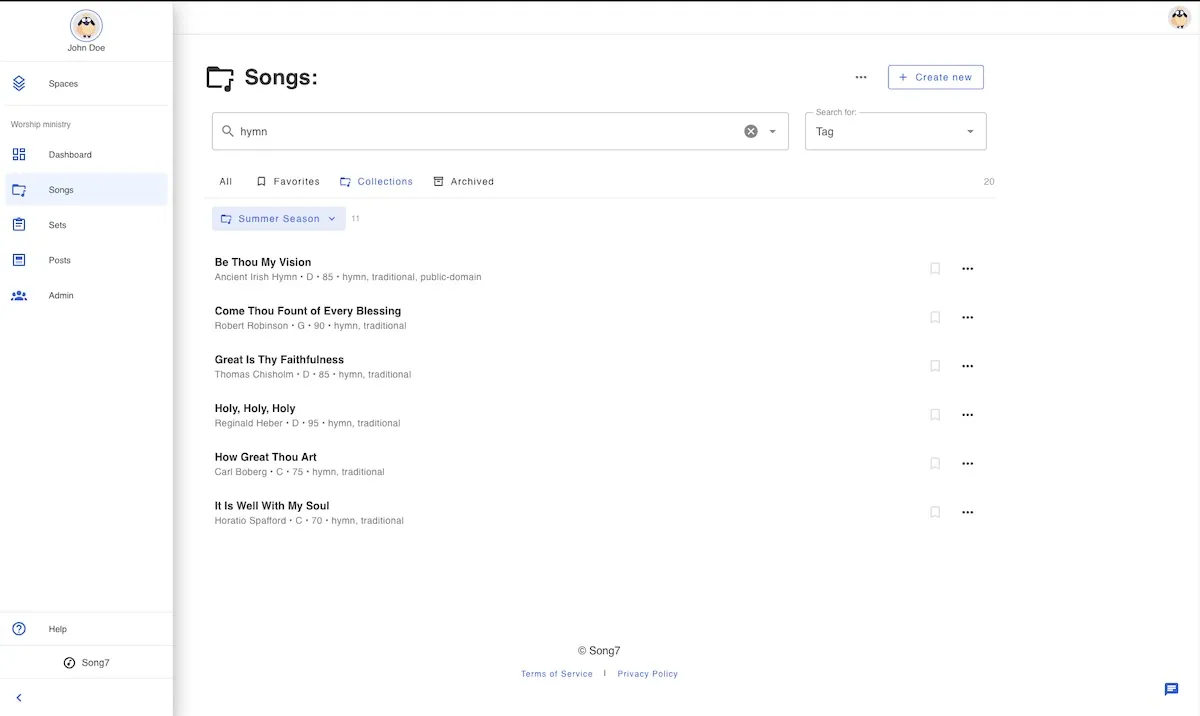
Tags win because worship songs belong to several categories at once, and a folder can only hold a song in one place. A folder called "Communion" can't also be "Slow" and "Easter." A song tagged communion, slow, and easter shows up in all three searches with one record.
That flexibility is the whole game. It's also why this maps cleanly onto how Song7 handles songs: you tag a song once and it surfaces everywhere it belongs, instead of living in one rigid folder.
How Do You Keep the Library Current Over Time?
The library fails from neglect, not from picking the wrong sorting method. A mediocre system updated every week beats a perfect one updated twice a year.
- Catalog incrementally. When you pull a song for Sunday, spend 90 seconds confirming its record is right: tag it, fix the key, drop it in the right collection. That keeps the library in sync with real usage without a dedicated cleanup day.
- Do an occasional cleanup. Once or twice a year, remove duplicates, fix typos (one stray
Adventvsadventfragments your search), and archive anything you haven't played in a couple of years. - Watch tag governance. Agree on tag spelling and stick to it. Inconsistent tags are the slow death of every library.
I'll be honest: I'm not much of a maintainer. For me it happens organically. I fix a key, update a lyric, or archive something the moment I notice it, not on a schedule.
Part of why is that going digital removed the one thing that used to force me to prune. A physical song folder could only hold so much, so every few months something had to come out to make room. A digital library has no limit, so it just keeps growing, and because search and tags surface anything instantly, you rarely feel the clutter. That's mostly freedom, but it has a flip side: nothing makes you tidy up, so you don't.
Once you cross a few hundred songs, it's worth an occasional pass to archive the ones you retired years ago, not to delete them, just to get them out of sight so you and your team find what you actually need faster. A once-a-year cleanup is a good rhythm (one I'd recommend more confidently than I practice it). But most of the "maintenance" now happens just by using the library well: tag songs as you add them, drop them into the right collection for the season, and it stays organized without a dedicated cleanup day.
Who Should Own the Church Song Library?
Assign one person to take responsibility for the library, with a trusted backup who can make updates when they're away. This isn't a music-degree job. It's a consistency-and-attention job. Give edit access to the people maintaining the library and view access to those who only need the charts. One accountable owner helps; making that person the only route to every correction can recreate the bottleneck you're trying to escape.
A simple submission process keeps it sane: one channel for new-song requests (a form or a single email), a required minimum (title, key, intended use), and a regular review. Agree who handles an urgent correction before rehearsal so nobody has to start a separate unofficial copy.
Key Takeaways
| Point | Details |
|---|---|
| Organize the active repertoire first | Start with the songs you use across the year; our 30-50 include a seasonal rotation of 10-15. |
| Tag, don't file | One song can serve communion, Easter, and a quiet prayer time; tags let you find it for each. |
| One arrangement, one current chart | Name distinct versions clearly so musicians know which chart to use. |
| Maintain it while you use it | Check the key, chart, and tags whenever you pull a song into a set. |
| Give the owner a backup | Keep responsibility clear without making every correction wait for one person. |
Where Song7 Fits
A song library only helps if the right version reaches every musician on Sunday. That's the gap Song7 closes: your team works from one shared library where each song carries its key, chord chart, and tags, and building a setlist is drag-and-drop. When you transpose or update a song, every musician sees the current version on their own device. No re-printing, no "which copy is the latest?" Tag a song once and it surfaces in every search it belongs to. See how Song7 keeps your worship library in sync.
Frequently Asked Questions
Start With the Songs for Next Sunday
Take the songs for next Sunday and give each one a clear title, an agreed key, and one shared chart. Ask a teammate to find them without your help. Wherever they get stuck is the first thing to fix.
Leading worship is a big job. It's hard, it matters more than you'll often feel in the moment, and people are being changed even when you can't see it. So keep going. Keep believing. You're making a difference.
But you don't have to carry the friction. The printing, the pen-scribbled key changes, the "did everyone get the new chart": that's the part of the job that can be systemized, and it should be. Get a system that takes the annoying, repeatable work off your plate so your week goes back to what it's actually for: praying, listening for where the service should go, and preparing your own heart to lead.
And then, remember to enjoy it. That was always the point.
Related reading: How many songs should be in a worship set?
Still running on binders, PDFs or a shared Google Doc? Here's an honest look at switching from paper binders, including when paper is still the right call.