Best Worship Setlist Apps for Small Church Teams (2026)
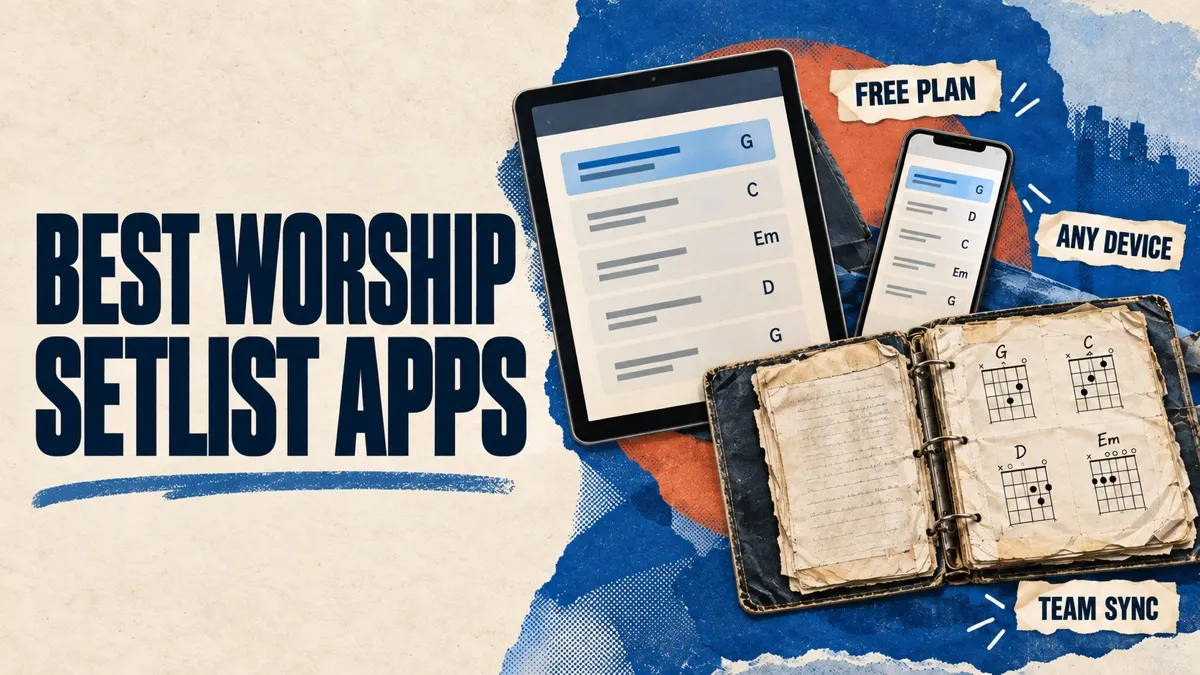
A worship setlist app keeps your team's songs, chord charts and service plans in one place, so every musician sees the same songs, in the same order and the same key, on their own device. For a small or volunteer-led team, the best one is usually the simplest tool your whole team will actually open, at a price that still makes sense when three more volunteers join.
Disclosure: we make Song7, one of the apps below. We've tried to be fair: every app gets a "best for", we say where other apps beat ours, and every price was checked on the vendor's own website in October 2026 unless we say otherwise. Prices change, so check before you buy.
The Short Answer
- Best for small teams on mixed devices that want a free plan: Song7
- Best if your church already runs on Planning Center: Planning Center Services with Music Stand
- Best free option that includes presentation software: WorshipTools
- Best for individual musicians on iPad and iPhone: OnSong
- Best low-cost option for Android and Windows tablets: SongbookPro
- Best if your team plays with tracks: MultiTracks (ChartBuilder and Playback)
Looking for CCLI SongSelect? It's the licensed catalog many teams get their charts from, not a setlist app. See where it fits below.
At a Glance
| App | Free plan | Paid pricing | Runs on | Best for |
|---|---|---|---|---|
| Song7 | Up to 10 members per space, all features | $5/month (50 members) or $10/month (100 members), per space | Any browser: iPad, iPhone, Android, Windows, Mac | Small worship teams on mixed devices |
| Planning Center Services + Music Stand | Services: up to 5 team members | Services priced by team size; Music Stand add-on from $5/month | Web, plus apps for iOS and Android | Churches already using Planning Center |
| WorshipTools | Up to 10 users (Presenter, Charts, Planning) | Pro (30 users) and Pro Plus (unlimited users) | Mobile apps and web; Presenter on desktop | A suite including presentation |
| OnSong | Limited free version | $29.99/year (Essentials) or $59.99/year (Premium), per person | iPad, iPhone, Mac only | Solo musicians on Apple devices |
| SongbookPro | Trial with 12 songs | Solo: about $7 once, per platform; Groups: from $4 per user/year | Android, iOS, Windows | Budget setups and Android or Windows tablets |
| MultiTracks (ChartBuilder) | No free team plan listed | ChartBuilder app $1.99/month; Chart Pro (35,000+ charts) $14.99/month; both billed annually | ChartBuilder: iOS, Android, Windows. Playback: iPhone and iPad | Teams that play with tracks |
How We Chose
We looked at apps that do the core job of a small worship team: a shared song library with chord charts, a setlist for each service, transposition, and a way to get the plan onto every musician's device. We left out three kinds of tools on purpose:
- Church management software (Breeze, ChurchTrac and similar). Useful for giving, check-ins and member directories, but setlists and charts aren't their main job.
- Presentation-first software (ProPresenter, EasyWorship). Excellent for screens and lyrics, but not a chord chart app for the band.
- Playback-only tools (Ableton and similar). For click tracks and in-ear routing, not for planning. MultiTracks is included below because its ChartBuilder app handles charts and setlists too.
We also left out CCLI SongSelect as an app, because it's a song catalog rather than a setlist tool; it gets its own section below. For each app we checked the free plan, what you pay as the team grows, which devices it runs on, and what a volunteer team gives up.
1. Song7
Best for: teams on a mix of devices who want one simple tool.
Song7 is a worship planning app built for worship leaders. You build a setlist with drag and drop, set a key for each song, and every change reaches the whole team in real time. Musicians read from a digital music stand with dark mode and chord diagrams, and presentation mode puts lyrics on a connected screen or projector. A metronome and tuner are built in, and songs can carry backing tracks and stems, MusicXML sheet music and reference recordings.
What it does well
- Gets the Sunday basics right: build the setlist, share it with every team member, manage your song library and change keys, all in one place. Change a song's key or reorder the set, and everyone's chart updates instantly.
- Runs in any browser, so the drummer on an Android phone and the keys player on a Windows laptop use the same thing as the leader on an iPad.
- Gets paper charts in fast: take a photo of a printed chord sheet and it becomes an editable chart, or paste text and ChordPro.
- Keeps set history and exports a CCLI usage report (a CSV you key into CCLI's portal).
- Free for teams of up to 10 members with every feature included, so a small team may never need to pay.
Watch out for
- It caches loaded content for short Wi-Fi drops, but it isn't a fully offline app.
- No SongSelect integration.
- Volunteer scheduling is lighter than in Planning Center Services.
- No native app-store apps yet. Instead, you add it to your home screen from the browser and launch it from its own icon, with nothing to install from an app store.
Pricing: free for up to 10 members and 300 songs. Plus is $5/month per team (up to 50 members) and Pro is $10/month per team (up to 100 members), with a 30-day trial. See Song7 pricing.
2. Planning Center Services + Music Stand
Best for: churches that already use Planning Center, or that need deep volunteer scheduling across several teams.
Planning Center Services is a widely used service-planning tool: plans, songs, volunteer scheduling and team communication. Music Stand is its separate add-on for reading charts on stage, with annotations and foot-pedal page turns.
What it does well
- Scheduling depth: rotas, confirmations and team communication across ministries.
- Part of a wider church software suite (people, check-ins, giving and more).
- Music Stand supports foot pedals and annotations, and Services connects to SongSelect.
Watch out for
- Music Stand is an add-on that needs a Services subscription, so you're paying for two products.
- The cost grows with your team size, and there's more to learn for a small volunteer team.
Pricing: Services has a free tier for up to 5 team members. Paid tiers are priced by team size on Planning Center's calculator (third-party reviews report entry tiers from about $14–15/month). The Music Stand add-on is $5/month, with higher pricing on larger Services tiers. Our full Music Stand comparison.
3. WorshipTools
Best for: teams that want a suite covering presentation as well as charts and planning.
WorshipTools is a set of connected apps: Presenter for lyrics and slides, Charts for chord charts, and Planning for services. Charts handles transposition, capo and several chart views, and it connects to catalogs like SongSelect, PraiseCharts and Loop Community.
What it does well
- A generous free plan for up to 10 users that includes Presenter, Charts and Planning.
- Presentation software in the same ecosystem, which Song7 and OnSong don't fully replace.
- Imports from SongSelect and other catalogs, plus annotations.
Watch out for
- Several apps to set up and learn, rather than one.
- Bigger teams and features like stage display, mobile remote and multiple output screens need a paid plan.
Pricing: free for up to 10 users. Pro adds up to 30 users and Pro Plus has unlimited users; WorshipTools' pricing page didn't show dollar amounts when we checked; third-party listings show $19 and $29 a month.
4. OnSong
Best for: individual musicians on Apple devices who want deep performance features.
OnSong is a long-established chord chart app for iPad, iPhone and Mac. It goes deep on performance: foot pedals, MIDI, autoscroll, backing tracks and annotations. Teams can share through OnSong's group features, but it's built around the individual musician.
What it does well
- Mature, feature-rich chart reading and performance tools.
- Strong hardware support: foot pedals, MIDI and stage automation.
- Inexpensive for a single musician.
Watch out for
- Apple only: no Android or Windows.
- Priced per person with device limits, so a whole band adds up.
Pricing: a limited free version; Essentials is $29.99/year (or $3.99/month) and Premium is $59.99/year (or $5.99/month), per person. Our full OnSong comparison.
5. SongbookPro
Best for: budget-conscious musicians, especially on Android or Windows tablets.
SongbookPro is a chord chart and setlist app with native apps for Android, iOS and Windows. It's popular with musicians who want a straightforward reader without a subscription.
What it does well
- Solo is a one-time purchase of about $7, with free updates.
- Native apps on Android and Windows as well as iOS.
- A Groups subscription for sharing songs and sets across a band.
Watch out for
- Solo is bought separately on each platform (iOS, Android, Windows).
- Groups is priced per user and limited to 2 devices per user.
Pricing: Solo is about $7, once, per platform. Groups starts from $4 per user per year, with Band (6 users), Ensemble (12 users) and Orchestra (20 users) plans and a 21-day trial.
6. MultiTracks (ChartBuilder and Playback)
Best for: teams that lead with tracks and want charts, tracks and rehearsal tools from one company.
MultiTracks is best known for multitrack recordings, but it's a whole ecosystem: Playback plays tracks on iPhone and iPad, ChartBuilder is a chart app for the band, RehearsalMix helps musicians practise their part, and Chart Pro unlocks a large chart catalog. Setlists are shared across the website, Playback and ChartBuilder.
What it does well
- Charts follow the track: ChartBuilder scrolls along with Playback arrangements.
- A large catalog of professional charts with Chart Pro (35,000+), plus your own PDFs.
- Annotations, transposition, capo and Bluetooth pedal support (such as AirTurn).
Watch out for
- Several products and subscriptions to combine, and the costs add up for a whole team.
- Playback is Apple-only; ChartBuilder also runs on Android and Windows.
- No free team plan is listed for ChartBuilder.
Pricing: the ChartBuilder app is $1.99/month and Chart Pro is $14.99/month, both billed annually. The Rehearse Bundle (ChartBuilder, Chart Pro and RehearsalMix for a team of 5) is $34.99/month, billed annually. Tracks and Playback are priced separately.
Where CCLI SongSelect Fits
CCLI SongSelect isn't a setlist app, but it's often where the songs in these apps come from. It's CCLI's licensed catalog of lyrics, chord sheets, lead sheets and vocal sheets for more than 230,000 songs, with transposition and ChordPro downloads on the top tier. It doesn't build service setlists, sync a team, or project lyrics; it hands songs to the tools that do.
Several apps above connect to it directly, including Planning Center Services, WorshipTools and OnSong. Song7 doesn't have a SongSelect integration: you bring songs in by pasting text, importing ChordPro or taking a photo of a chart, and Song7 can export a CCLI usage report from the setlists you actually played.
Pricing: paid tiers were about $210/year (Advanced) and $263/year (Premium, adds ChordPro downloads) when we checked, with a cap of 200 unique songs a year for printing and downloading. How SongSelect and Song7 fit together.
Still on Paper Binders or Google Docs?
Many small teams don't use any of these yet. A binder or a shared Google Doc is free and needs no setup, and for a team whose setlist rarely changes it can be enough. It starts to hurt when keys change mid-week, musicians rotate, or someone plays from last month's printout. We wrote an honest guide to switching from paper binders, PDFs and Google Docs, including what you give up.
How to Choose
Answer these five questions and the shortlist gets short:
- Are you already paying for Planning Center? Then Music Stand is a small add-on to a tool your church already knows.
- What devices does your team actually use? If anyone is on Android or Windows, rule out OnSong. If you want nobody to install anything, Song7 runs in the browser.
- Do you lead with tracks? If tracks are central to your Sunday, MultiTracks keeps charts, tracks and setlists in one ecosystem.
- Do you need presentation software too? If you don't have it yet, WorshipTools bundles Presenter. Song7 includes presentation mode for lyrics, but not a full slide production tool.
- How big will the team be in a year? Compare the price at that size, not today's. Free team plans range from 5 members (Planning Center Services) to 10 (Song7, WorshipTools).
Then pick two, put next Sunday's setlist into both, and run one rehearsal. The one your volunteers open without being reminded is your answer.
Key Takeaways
- For most small teams, the deciding factors are devices, team size and whether you already use Planning Center, not feature lists.
- Song7 and WorshipTools both have free plans for up to 10 people; Planning Center Services stop at 5.
- OnSong is excellent but Apple-only and priced per person.
- SongbookPro is the cheapest way to get a capable reader, especially on Android and Windows.
- MultiTracks makes most sense if your team already leads with tracks.
- SongSelect is where you license and source songs; it works alongside a setlist app, not instead of one.
- Test with a real setlist and a real rehearsal before you move your whole library.
Frequently Asked Questions
Pick the One Your Team Will Open
The best worship app isn't the one with the longest feature list. It's the one your volunteers open on a Tuesday without being reminded, and that still makes sense when your team grows. Put next Sunday's songs into your top two choices and let one rehearsal decide.
Related reading: How to organize your church song library · How many songs should be in a worship set?